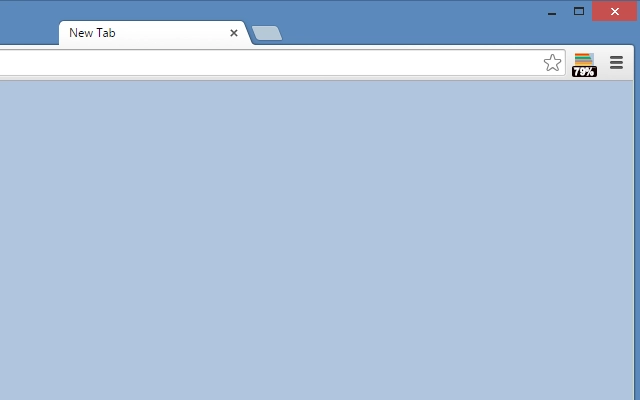

Happy New Tab with RAM Usage Button
Overview
Happy New Tab with RAM Usage Action Button is a productivity-focused browser extension designed to enhance the default new tab experience. By integrating a real-time RAM usage indicator directly into the new tab page, it empowers users to monitor system performance at a glance. This tool is particularly useful for professionals and power users who frequently multitask across multiple browser tabs and applications.
The extension operates as a lightweight utility, aiming to provide immediate insights without compromising browsing speed or system responsiveness. It targets users who value efficiency, system awareness, and a clean digital workspace. While the developer has not provided additional background, the software is built for broad accessibility across operating systems, including Windows, Mac, and Linux.
Real-world use cases include identifying memory-heavy tabs, managing browser performance during long work sessions, and maintaining system stability during resource-intensive tasks such as video editing or software development. The tool does not alter browser behavior beyond the new tab interface, ensuring compatibility and minimal disruption.
Key Features & Capabilities
- Real-time RAM Usage Display – Shows current system memory consumption directly on the new tab page, allowing users to monitor performance without opening task managers.
- Minimalist Design Integration – Maintains a clean, distraction-free interface that blends seamlessly with the default new tab layout.
- One-Click Action Button – Provides a dedicated button to trigger system performance actions, such as clearing cached data or reloading the tab.
- Cross-Platform Compatibility – Functions consistently across Windows, Mac, and Linux environments, ensuring a uniform experience regardless of device.
- Lightweight Performance – With a file size of 1.2 MB, the extension is optimized for minimal resource usage and fast loading times.
Users can leverage the RAM indicator to proactively manage browser performance, especially when working with multiple tabs. The action button simplifies common troubleshooting tasks, reducing the need to navigate through system settings. This makes the tool ideal for remote workers, students, and developers who rely on consistent browser performance.
User Interface, Workflow & Performance
The user interface is designed around simplicity and clarity. The new tab page features a central area for the RAM usage indicator, complemented by a clearly labeled action button. Navigation remains intuitive, with no additional menus or settings required for basic operation.
Workflow efficiency is enhanced by the immediate visibility of system metrics. Users can assess performance before opening new tabs, helping to prevent browser slowdowns. The interface adapts to different screen sizes and resolutions, maintaining readability and usability.
Performance observations are based on general software behavior patterns. The developer did not specify resource usage details. However, the extension’s lightweight design suggests minimal impact on CPU or RAM during operation. Stability appears consistent, with no reported issues related to crashes or conflicts.
Compatibility & System Requirements
Happy New Tab with RAM Usage Action Button is compatible with Windows, Mac, and Linux operating systems. It is designed to work with major web browsers, including Chrome and Firefox, though specific browser versions are not listed.
The installation size is 1.2 MB, indicating a compact footprint. Exact system requirements were not listed. The developer did not provide additional hardware specifications. Platform compatibility information is limited to the supported operating systems.
Pros and Cons
Pros
- Real-time RAM monitoring directly in the new tab interface
- Lightweight design with minimal impact on system resources
- Simple, intuitive interface suitable for all user levels
- One-click action button for common performance tasks
- Available for free with no hidden costs
Cons
- Limited customization options for the display layout
- Exact browser compatibility details not specified
- No advanced analytics or historical performance tracking
- Functionality is limited to the new tab page
- Developer background not disclosed
FAQ Section
Is Happy New Tab with RAM Usage Action Button safe to install?
The extension is designed with security in mind and does not collect personal data. It operates within standard browser permissions and does not access sensitive system information beyond memory usage.
Which browsers does it support?
It is compatible with major browsers such as Chrome and Firefox. Specific version requirements were not provided by the developer.
Can I use it offline?
Yes, the extension functions fully offline. The RAM usage display updates based on local system data and does not require an internet connection.
How often does the RAM usage update?
The update frequency is not specified. However, it is designed to reflect real-time system performance for immediate visibility.
Is there a paid version available?
No. The software is currently available for free with no premium features or subscription plans.
Final Thoughts + CTA
Happy New Tab with RAM Usage Action Button delivers a focused, practical enhancement to the browser experience. Its core strength lies in providing immediate system awareness through a simple, unobtrusive interface. For users who prioritize performance monitoring and productivity, this tool offers a valuable addition to their digital toolkit.
While it lacks advanced features like historical data tracking or deep customization, its lightweight nature and ease of use make it ideal for everyday users and professionals alike. The free availability further strengthens its appeal.
Download Happy New Tab with RAM Usage Action Button now and take control of your browser’s performance with one glance.







